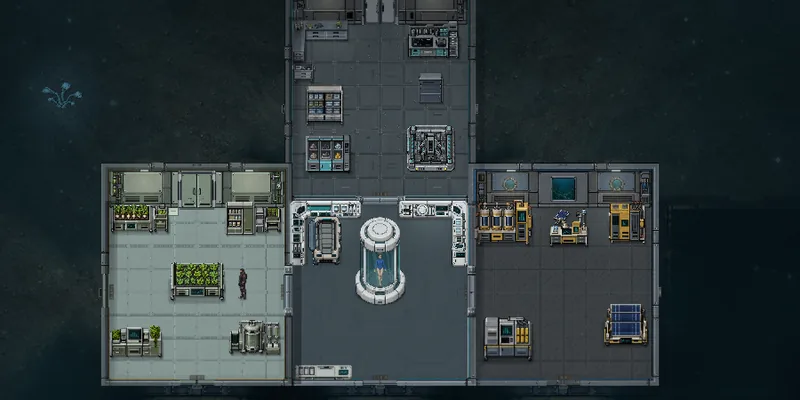
The gameplay loop
How an expedition works
You’re BRINE, a damaged AI core on an underwater station. Draft room cards, connect the station one module at a time, and keep the colony alive.
These screenshots follow the Windows 0.4.0 RC1 preview from your first room choice to the upgrades you take into the next run.
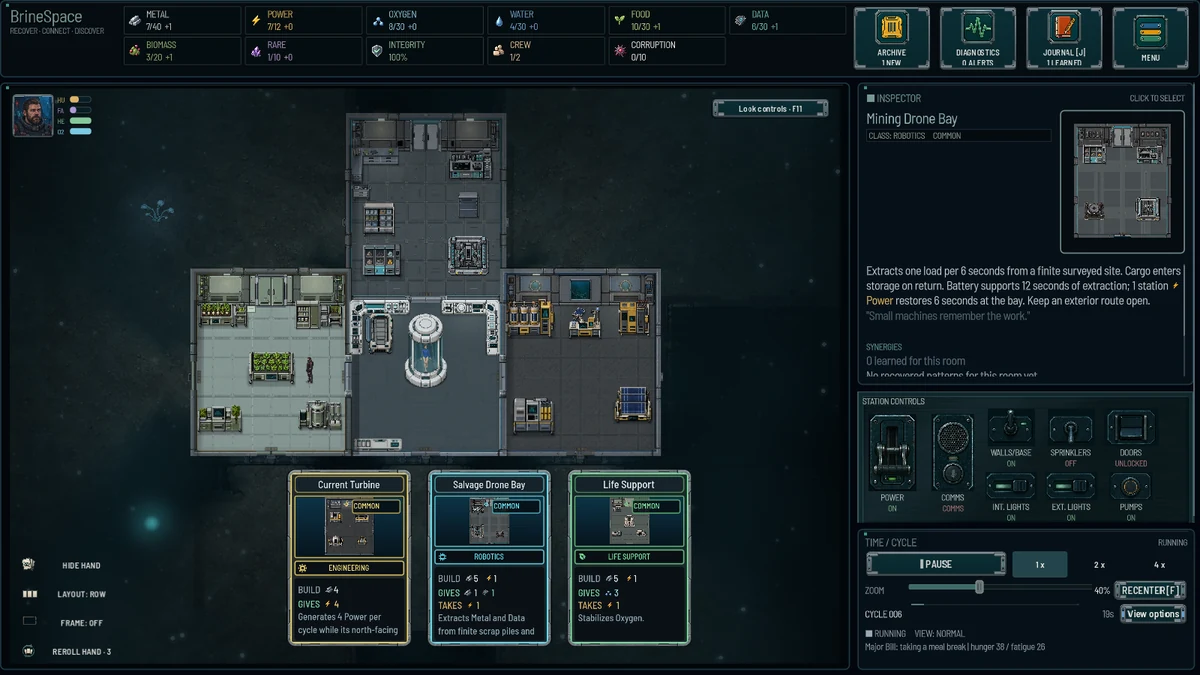
Draft a room
Every hand gives you a different set of blueprints. Compare the cost and what each room produces, then rotate your choice to match an open doorway. A room you can afford now may be more useful than the one you were waiting for.
Look for The hand at the bottom offers a Current Turbine, a Salvage Drone Bay, and Life Support.
Open full screenshot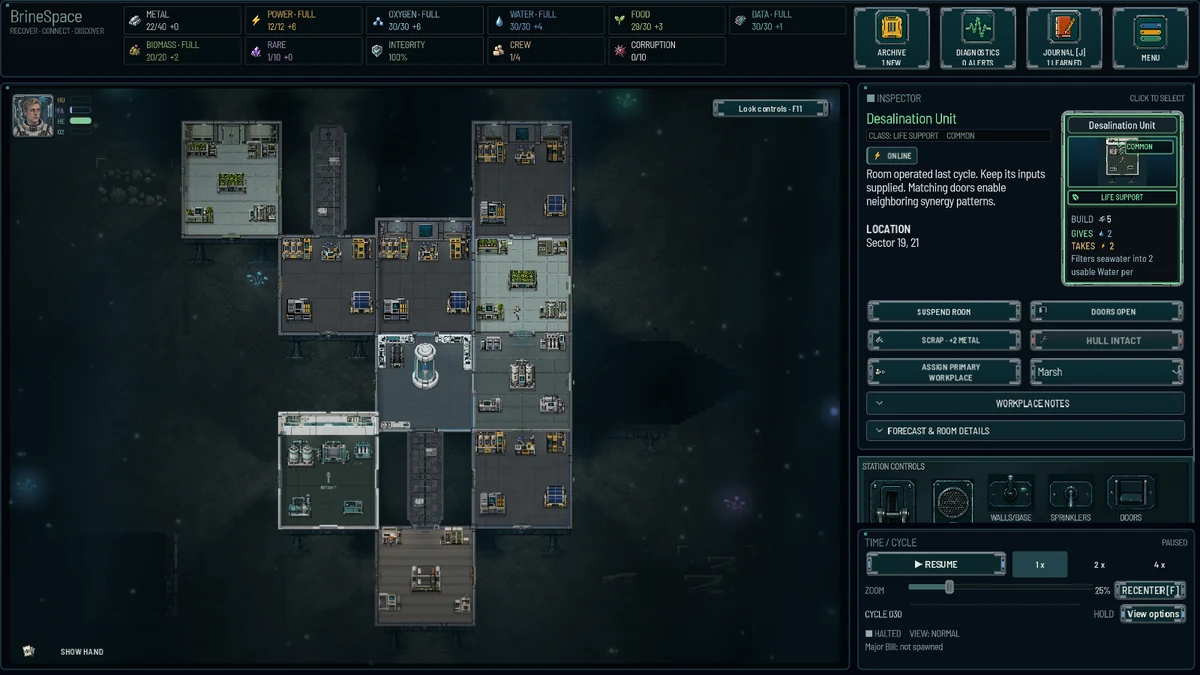
Keep the station running
Expansion changes the balance of power, oxygen, water, and food. Recover crew, put drones to work, and look for rooms that support each other. The Desalination Unit, for example, gives you another way to make water if you can supply the power.
Look for The inspector on the right shows the Desalination Unit giving 2 Water and taking 2 Power.
Open full screenshot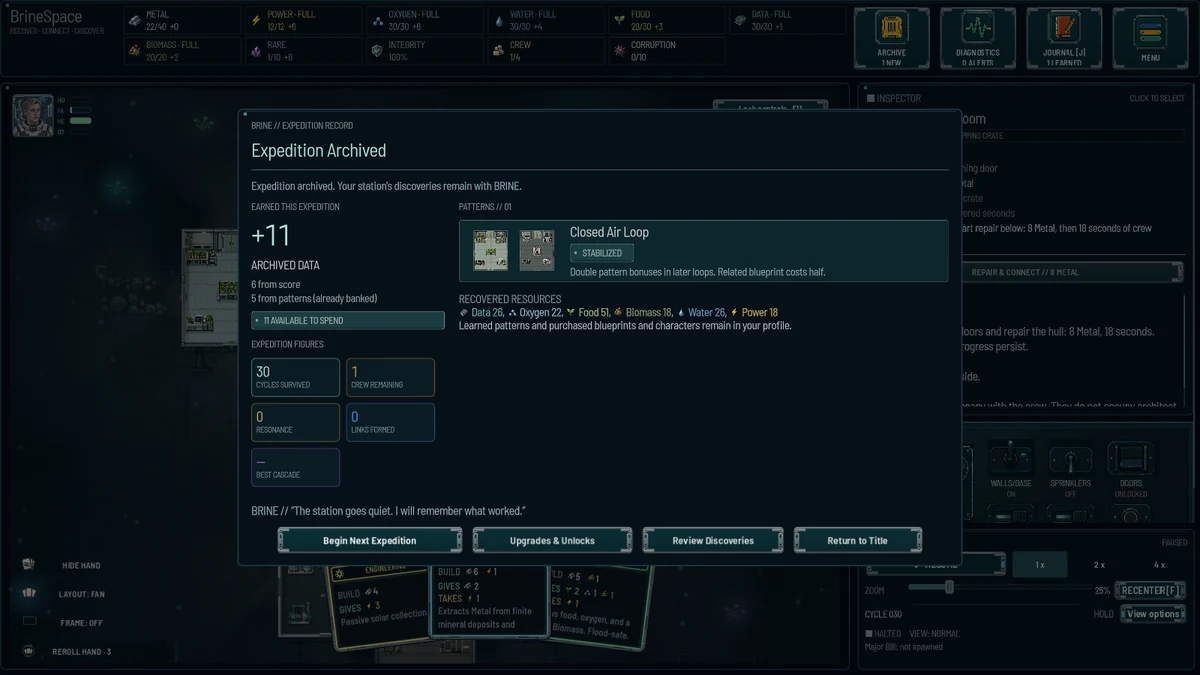
Archive the expedition
End an expedition to see what you earned. Archived Data carries forward, so you can unlock blueprints, crew, and companions before you draw your next hand.
Look for This report shows 11 Archived Data earned and the Closed Air Loop pattern discovered.
Open full screenshotFirst run
Start a new loop
- Find the illustrated Tutorial Guide in Settings, either from the title screen or during a run.
- Choose New Loop. Check the room card’s cost and line up a door with the station. On Windows, use R to rotate the room or Esc to put the card down without placing it.
- Taking a break? Choose Save & Quit from the pause menu and use Continue Loop to pick up later. End Expedition finishes the run and opens the rewards report.
Player feedback
Help shape the next loop
What did you build? Where did you get stuck? What broke?
If you hit a bug, include your platform, build version, and what happened just before it.
From the lab
Tools built along the way
The Shadewater Game Asset Pipeline grew out of making BrineSpace’s rooms and characters. It packages reusable tools for planning 2D assets, slicing animation strips, and checking room geometry.